
PDFium Delphi Component at a glance
| Product | PDFium Delphi Component — professional source-code PDF application SDK for Delphi, C++Builder, and Lazarus |
|---|---|
| Best for | Shipping high-performance PDF readers, review tools, document workflows, and accessible reading experiences in native applications |
| IDE support | Delphi and C++Builder XE5 through 13.1 Florence (Win32, Win64); Lazarus / Free Pascal LCL on Windows, Linux (Qt6), and macOS (Cocoa) |
| Engine role | PDFium — the open-source engine family behind Chromium PDF display — handles page rendering and document reading; optional V8 / XFA runtime DLLs |
| Application layer | 154,000 lines of Object Pascal in 67 units, 497 public TPdf members and 153 on TPdfView, including the viewer, serialization, signing, encryption, standards, and accessibility layers PDFium does not provide |
| Digital signatures | PAdES B-B / B-T / B-LT / B-LTA signing (ETSI EN 319 142-1), CMS / CAdES containers, RFC 3161 time-stamping, Document Security Store; Windows CNG, macOS Keychain, or OpenSSL keys with OCSP evidence |
| Encryption | PDF 2.0 AES-256 write support (ISO 32000-2), ISO/TS 32003 AES-GCM, ISO/TS 32004 PDF MAC, on a pure Pascal AES / SHA / HMAC / ASN.1 stack |
| Standards | PDF/A (parts 1-4), PDF/X (through X-6), PDF/UA, PDF/E, PDF/VT (through VT-2s), PDF/R validators with save and marker-injection helpers |
| PDF output | Self-built serializer: linearized Fast Web View, object-stream and xref-stream packing, dirty-object incremental revisions, verified repair copies |
| Reader assets | 22 complete workflow demos per platform plus ten focused Miscellaneous topics: professional reader references, an offline six-page demo showcase, accessibility workbenches, table extraction, standards and preflight tools, and console workbenches |
| Large files | On-demand access avoids an up-front in-memory copy for multi-gigabyte documents; parallel page rendering and bounded working storage |
| Source code | Complete Object Pascal source included with every license |
| Licensing | Royalty-free, one-time $550-$6600 by tier; renewal at 50% of list price |
| Current version | 3.137.1 (2026-10-09) |
| Evaluation | Free demo package download |
Where the engine stops and the product begins
PDFium is a renderer. It draws pages, extracts text, and reads existing structures — and that is the whole of it. It has no signing, no encryption writer, no standards validator, no linearizer, no incremental revision writer, and no XFDF or XMP support. A binding of the PDFium C API inherits exactly those limits.
PDFium Delphi Component ships roughly 154,000 lines of Object Pascal across 67 units. More than 65,000 of those lines sit in 40 units that never call the PDFium API — cryptography, signatures, encryption, the six standards validators, the PDF serializer, XFDF, XMP, layout, and text shaping. Written in Pascal, checked against the published ISO, ETSI, IETF and FIPS clauses, and delivered as source with every license.
| Capability | PDFium engine | Implemented by PDFium Delphi Component |
|---|---|---|
| Digital signatures | Reads existing signature dictionaries only | PAdES B-B / B-T / B-LT / B-LTA signing, CMS / CAdES SignedData to RFC 5652, RFC 3161 time-stamp client, DSS and VRI injection, Windows CNG keys (RSA-PSS, PKCS#1, ECDSA), remote / HSM signing where the private key never leaves the service, and certificate-chain trust validation |
| Encryption | Opens encrypted files; cannot write encryption | ISO 32000-2 AES-256 (V5 / R6 algorithm 2.B key derivation), ISO/TS 32003 AES-GCM, ISO/TS 32004 PDF MAC, full stream and string encryption sweep |
| Cryptographic primitives | None exposed | Pure Object Pascal AES-128/256 CBC and GCM, SHA-256/384/512, SHA-3, HMAC, ASN.1 DER reader and writer, verified against FIPS 197 and FIPS 180-4 test vectors |
| Standards conformance | No validator of any kind | PDF/A parts 1-4, PDF/X through X-6, PDF/UA-1, PDF/E-1, PDF/VT-1/2/2s, PDF/R-1 — clause-level validators, marker injection, and profile-aware save helpers |
| PDF serialization | One sequential whole-file save | Linearized Fast Web View with Annex F hint tables, object-stream and xref-stream packing, dirty-object incremental revisions with byte-exact prefix preservation, and strict-verified repair copies |
| Damaged documents | Silent recovery, no report | Strict, compatible and recovery load policies with structured diagnostics: rebuild path, corruption offsets, conflicting revisions, and budget status |
| Form data interchange | No XFDF or FDF API | XFDF (ISO 19444-1) and FDF import and export for field values and 18 annotation subtypes |
| Metadata | Reads the classic info dictionary | XMP packet reader and writer with typed containers, used by every standards profile |
| Network and scale | Byte-range callbacks, nothing above them | Progressive document sessions, a prioritized byte-range scheduler with deduplication, merging, bounded retries and cancellation, parallel page rendering, and bounded working storage that spills to a delete-on-close temporary file |
| Application layer | C handles and callbacks | Three registered VCL / LCL components, 497 public TPdf members and 153 on TPdfView, viewer state, thumbnails, reading sessions, and 22 complete workflow demos per platform |
Instead of designing viewer state, interaction, asynchronous rendering, text mapping, form focus, page navigation, accessibility behavior, signature containers, encryption dictionaries, and revision writers from the ground up, teams start from tested components and working reader architectures, then adapt the supplied Object Pascal source to their product.
Near-instant large PDF opening: In internal tests with 2.x GB sample files, seekable on-demand access made the first view usable before the full document was read; actual results depend on storage, document structure, and hardware.
Use the public viewer examples and large-file test workflow to repeat the open-to-first-view check with your own PDFs, storage, and target hardware.
Use it when the PDF experience belongs inside your application instead of an external viewer. The package includes visual and non-visual components, Object Pascal source code, professional reader reference applications, focused workflow examples, PDFium DLLs, optional V8 / XFA-capable runtime DLLs, command-line preflight examples, regression tests, and documentation for both application-level integration and lower-level PDF operations.
The PDFium VCL Component supports Delphi XE5 through Delphi 13.1 Florence and C++Builder XE5 through C++Builder 13.1 Florence, with Win32 and Win64 targets. The PDFium LCL Component includes Lazarus / Free Pascal package files and demos for LCL workflows, and native Free Pascal builds run on Linux with Qt6 and on macOS with Cocoa, including platform font resolution, document loading, editing, forms, saving, and rendering.
Main capabilities
- High-level application APIs: Work with Delphi-native document and viewer objects instead of wiring raw PDFium handles into every screen, background task, form workflow, and cleanup path.
- Viewer UI: Drop
TPdfViewonto a form for zoom, rotation, fit modes, single-page and continuous layouts, cover-aware spreads, page shadows, safe link clicks, user text selection, copy-to-clipboard, and form focus workflows. - Thumbnail navigation: Add
TPdfThumbnailViewbeside the viewer for scrollable page thumbnails with hover, selection highlighting, and click-to-go navigation. - Rendering: Render pages and tiles to bitmaps, use zero-copy DIB writes where possible, run cancellable progressive rendering, render a page set in parallel through
RenderPagesParallel, access low-level Skia hooks when the loaded DLL exports them, and keep large pages responsive. - Streaming and large files: Load from disk, memory, byte arrays, or custom seekable streams with on-demand PDFium reads so large or remote-backed documents do not need an up-front memory copy.
- Large-file startup: Start reviewing multi-gigabyte PDFs without waiting for a full up-front memory copy; the viewer uses seekable, on-demand PDFium access and reads document blocks as needed.
- Text and search: Extract page text, search forward or backward, highlight matches, build all-page search lists, and inspect character rectangles, origins, angles, generated characters, font family, weight, size, ascent, descent, and embedded-font status.
- Structured text:
GetStructuredTextbuilds a page, block, line, and styled-span hierarchy from character geometry, font metadata, text-object identity, and Tagged PDF semantics, with physical-layout fallback ordering when the document carries no tags. - Table extraction:
ExtractTablesandExtractDocumentTablescombine word boxes with transformed path rulings to detect bordered and whitespace-aligned tables, preserve merged spans, score confidence, mark page continuations, and emit CSV or JSON. - Semantic reflow to HTML:
BuildReflowDocumentturns a fixed-layout PDF into a reusable node tree whose safe HTML output preserves headings, paragraphs, lists, figures, page sections, and table spans — for responsive display, accessibility, and content reuse. - Forms: Work with AcroForm fields, XFA state detection, optional V8 / XFA helper availability, selected form text, form undo / redo, generated form appearances, field flags, and flattening.
- Form data interchange: Export and import both XFDF (ISO 19444-1) and FDF (ISO 32000-1 §12.7.11) for field values and 18 annotation subtypes — formats PDFium exposes no API for, implemented in Pascal on the component's own annotation and field model.
- OCR integration: Use the optional Tesseract provider with dependency diagnostics, Unicode word geometry, cancellation, and recognition budgets, or plug any recognition engine into
IPdfOcrProvider; the component writes the searchable text layer with per-page status reporting and existing-text skip, and verifies it after save and reopen. - Document comparison: Align two revisions page by page to find inserted, deleted, and moved pages, report bounded Unicode text changes and connected visual regions, compare annotations and AcroForm widgets property by property independently of page pixels, and export comparison overlays.
- Redaction and text replacement: Remove sensitive content inside nested Form XObjects, filled curved paths, and rotated or sheared images with a detailed removal report, refuse content whose semantics cannot be verified, and replace text in its original style with verified source plans, previews, bounded horizontal fitting, and rollback.
- Color management and barcodes: Convert document colors through optional LittleCMS ICC transforms on the original text, vector, and 8-bit or 16-bit image components while preserving selected spot colors, and generate or recognize Code 128, QR, DataMatrix, and PDF417 symbols through the optional barcode provider.
- Annotations and links: Create, delete, count, and inspect annotations; handle page links, web links, bookmark destinations, document JavaScript actions, URI / Launch risk surfaces, and viewer click events.
- Document assembly: Create documents, add or delete pages, import page ranges by label or physical index, move pages, compose N-up pages, reuse pages as Form XObjects, apply watermarks or stamps, update page content, and manage page boxes. Transactional merges keep outlines, named destinations, internal links, and AcroForm fields working across selected, reordered, and repeated pages, and Tagged table layouts support mixed text styles, images, spanning cells, and subtotal rows.
- PDF output and revisions: Save linearized Fast Web View files with page-offset and shared-object hint tables, pack objects into object streams with full type-2 xref coverage, append dirty-object incremental revisions that preserve the previous output byte for byte, and produce repair copies that are re-verified by an independent strict load before delivery.
- Digital signatures: Sign to PAdES baseline B-B, B-T, B-LT or B-LTA; build CMS / CAdES SignedData with the signed attributes the profile requires; request RFC 3161 tokens from a TSA; collect the certificate chain into a Document Security Store; add archive time-stamps; and validate any document against clause-level PAdES checks plus certificate-chain trust, synchronously or asynchronously. Besides Windows CNG keys, macOS Keychain identities sign with native Free Pascal and Delphi timestamp transports, and OpenSSL signing accepts configured RSA-PSS, RSA PKCS#1 v1.5, and ECDSA private keys outside Windows, and verification adds offline or bounded online OCSP evidence for each CMS signer.
- Remote and HSM signing: Split the operation in two with
PreparePadesRemoteSignatureandCompletePadesRemoteSignature— the application produces a placeholder document and a portable signing request carrying the SHA-256 digest, a remote service or hardware module returns the detached CMS, and the component injects it. The private key never has to reach the workstation. - Encryption and integrity: Write PDF 2.0 AES-256 encryption with correct R6 key derivation and permission blocks, use ISO/TS 32003 AES-GCM where required, attach ISO/TS 32004 PDF MAC tokens, and rely on AES, SHA-2, SHA-3, HMAC and ASN.1 primitives written in Object Pascal with no external C dependency.
- Content and security inspection: Extract images, render object bitmaps, inspect object bounds and transparency, read attachments, metadata, signatures, permissions, language, page labels, page modes, viewer preferences, tagged PDF structure, and file identifiers.
TPdfStreamInspectordecodes arbitrary stream objects under explicit source, raw, decoded, expansion-ratio and stream-count budgets, so a decompression bomb returns a structured status instead of exhausting memory. - Accessible reading: Build sentence-level reading units, map spoken text back to PDF content, drive word-level reading highlights, navigate form fields, inspect tagged structure, and apply low-vision bitmap transforms for assistive reading workflows.
- Preflight reports: Generate standards-oriented audit reports with pass, action-required, review, priority, issue category, category-count, and next-action fields; export human-readable TXT, HTML and Markdown or machine-readable JSON, CSV, SARIF 2.1.0, JUnit XML and NDJSON; produce stable SHA-256 report fingerprints; run batch summaries; attach reports to review copies; and gate a build with the command-line runner's exit code.
- Printing: Print with page ranges, copy counts, scaling preferences, N-up composition, odd / even filtering, grayscale output, viewer preference metadata, and
SetPdfPrintPaperHandlingDevModefor duplex and paper-handling integration.
Compliance-aware PDF workflows
PDFium Delphi Component exposes standards-oriented validation and save APIs for teams that need predictable PDF handoff, archival review, print workflows, accessibility checks, engineering documents, variable-data output, or raster-locked delivery.
| Workflow | PDFium Delphi Component support | Application responsibility |
|---|---|---|
| PDF/A | ValidatePdfA, SaveAsPdfA, PdfAConformance across ISO 19005 parts 1 to 4 — including the PDF 2.0 based A-4 base, A-4f and A-4e profiles — with OutputIntent checks, XMP metadata checks, font-embedding checks, RoleMap and ParentTree structure checks, Annex C implementation limits, encryption and JavaScript restrictions, and profile-aware save helpers. | Choose the archival target, provide correct document metadata and color data, and review any reported validation issues before delivery. |
| PDF/X | ValidatePdfX, SaveAsPdfX, PdfXConformance from X-1a through the PDF 2.0 based X-6, with OutputIntent and ICC handling, profile-gated transparency and color-space restrictions, TrimBox / ArtBox / BleedBox geometry checks, and print-safe profile checks. | Supply production-appropriate output intent data, page geometry, and print settings for the target PDF/X profile. |
| PDF/UA | ValidatePdfUa, SaveAsPdfUa, PdfUaConformance, language and tagging checks, structure-tree inspection, marked-content review, and accessibility profile validation. | Author meaningful reading order, headings, lists, table semantics, alternate text, and document language in the source workflow. |
| PDF/E, PDF/VT, PDF/R | ValidatePdfE, ValidatePdfVT, ValidatePdfR, matching SaveAs... APIs, and conformance properties for engineering, variable-data, and raster-oriented PDF profiles. PDF/VT covers DPart hierarchies, document-part metadata, and VT-2s multipart MIME stream packaging; PDF/E injects an embedded sRGB output intent; PDF/R enforces one strip image per page and the permitted encoding list. | Match the profile to the business workflow and keep source content within the selected standard's allowed feature set. |
| PAdES signatures | SignPades, SignPadesToStream, SignPadesBytes, SaveAsPadesDss, and ValidatePadesCompliance cover the ETSI EN 319 142-1 baseline levels B-B, B-T, B-LT and B-LTA, with RFC 3161 time-stamping, Document Security Store injection, ESIC extension markers, and 26 clause-level validation codes. SignPadesWithPdfA combines archival conversion and signing in one workflow. | Supply the signing certificate and its chain, choose a TSA endpoint for timestamped levels, and define your organization's retention and revocation policy. |
| Preflight automation | FPdfPreflightReport and PreflightReportCli aggregate PDF/A, PDF/UA, PDF/E, PDF/X, PDF/R, and PDF/VT results into human-readable TXT, HTML and Markdown or machine-readable JSON, CSV, SARIF 2.1.0, JUnit XML and NDJSON, with deterministic ordering and stable SHA-256 fingerprints. | Decide whether pass, action-required, review, or issue counts should block CI, delivery, or archive ingestion. |
These APIs are designed to make standards work visible in code. Validation results, preflight summaries, and save helpers help your application reject or correct problematic output instead of silently shipping a file that only fails later in an archive, print, or accessibility pipeline. The built-in validators focus on marker-level and selected file-level checks; teams that require formal content-level certification should pair them with their dedicated validation engine.
Component architecture
TPdf: Non-visual document component for loading, stream access, saving, rendering, searching, extracting, validating, form access, page operations, metadata, attachments, annotations, preflight reporting, and PDF profile workflows.TPdfView: Visual viewer component for display modes, user interaction, links, scrolling, zoom, selection, form focus, highlighting, page navigation, and clipboard workflows.TPdfThumbnailView: Scrollable thumbnail side panel for page navigation, current-page tracking, hover feedback, and viewer companion layouts.- Helper units: 67 Object Pascal units in total. Beyond the engine binding they group into cryptography (
FPdfAes,FPdfAesGcm,FPdfSha256,FPdfSha512,FPdfSha3,FPdfHmac,FPdfAsn1), signing (FPdfPades,FPdfCms,FPdfTsa,FPdfCryptoWin,FPdfCryptoMac,FPdfCryptoSsl,FPdfPkcs11,FPdfTrustedList), standards (FPdfPdfa,FPdfPdfx,FPdfPdfua,FPdfPdfe,FPdfPdfvt,FPdfPdfr,FPdfPreflightReport), serialization and integrity (FPdfCompress,FPdfEncrypt,FPdfMac,FPdfStreamInspect,FPdfContentNormalize), and content services (FPdfXfdf,FPdfXmp,FPdfLayout,FPdfMeasure,FPdfTextShaping,FPdfTextShapingHb,FPdfBidi,FPdfStructTree,FPdfAsync,FPdfMatrix).
Every unit above is source you receive and can step through. The cryptographic primitives are Object Pascal, verified against the FIPS 197 and FIPS 180-4 published test vectors, so signing and encryption add no external C library to your deployment and no third-party binary to your security review.
Download the PDFium Delphi Component demo package
2026-10-09 Version 3.137.1: PDFium Delphi Component changelog | API reference. The latest release keeps accurate CRL status, reason, and native error diagnostics when an OpenSSL online revocation check finds no OCSP evidence or responder. Version 3.137.0 brings native Free Pascal / LCL builds to Linux Qt6 and macOS Cocoa with platform font resolution, loading, editing, forms, saving, and rendering; adds macOS Keychain signing with offline certificate-chain export; fixes LP64 callback widths so custom streams read beyond 4 GiB on Unix; and requires a critical, exclusive timestamping EKU for PAdES timestamp authorities. Releases since 3.131.0 also add LittleCMS ICC color conversion, complex redaction with removal reports, page-alignment and annotation / AcroForm widget comparison, transactional merges that preserve navigation and form fields, styled text replacement, Tagged table layouts, optional Tesseract OCR and barcode providers, and OpenSSL signing with OCSP evidence.
Licensing and pricing
Pay with credit/debit cards, PayPal, AliPay, or wire transfer through 2Checkout / FastSpring -- every tier lists both checkouts, choose either. Every new PDFium Delphi Component license includes the Object Pascal source code, one year of updates, and one year of email support.
| License | Developers | Price (one-time) | Order |
|---|---|---|---|
| Single | 1 developer | $550 | Buy PDFium Delphi Component Single |
| Small Business | Up to 10 developers | $1100 | Buy PDFium Delphi Component Small Business |
| Medium Business | Up to 30 developers | $1650 | Buy PDFium Delphi Component Medium Business |
| Enterprise | All developers in one company and its subsidiaries within a single country | $3300 | Buy PDFium Delphi Component Enterprise |
| Corporate | All developers in one company and its subsidiaries worldwide | $6600 | Buy PDFium Delphi Component Corporate |
License choice: Choose the tier that covers your developer headcount: Single (1 developer), Small Business (up to 10), or Medium Business (up to 30). Enterprise covers every developer in one company and its subsidiaries within a single country; Corporate extends that same coverage worldwide.
Enterprise and Corporate source extras: PDFium Delphi Component Enterprise and Corporate both include full source code for the dedicated tool-grade example PDF Intake & Accessibility Review Workbench Pro. Source code for the internal testing projects is available on request.
Existing customer renewal: Renew update access at 50% of the current list price; if your update service has been interrupted for more than 1 year, a full-price purchase is required instead. Open the PDFium Delphi Component purchase and renewal page.
Professional reader reference applications
The package goes beyond isolated API snippets. Each platform ships 22 complete workflow demos in its main directory plus ten focused API topics under Miscellaneous, showing how the components work together in complete application flows and giving teams tested starting points for production UI, interaction, performance, review, standards, security, and accessibility work. Every demo opens with content already loaded — PDFViewer starts from a bundled six-page showcase document — so the first click does something instead of asking for a file.
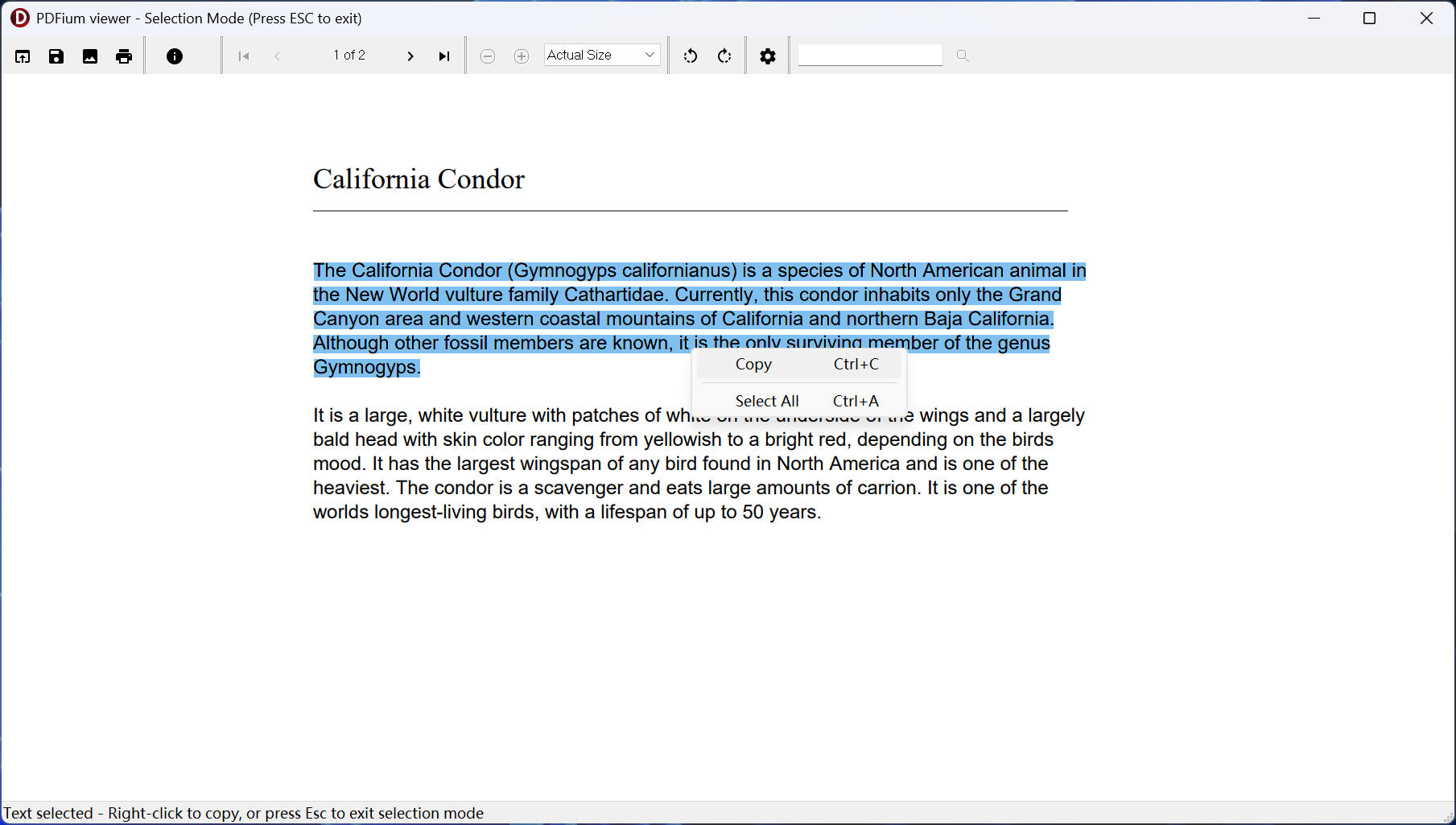
- PDFViewer: A complete reader foundation with text selection, search, bookmarks, page navigation, printing, links, display modes, thumbnails, and an experience bar for one-click tours: restart the showcase, find live text, two-page spread, night reading, document inspection, and form exploration.
- MultiPageViewer: Continuous, spread, cover-aware, and multi-page behavior for document review applications that need more than a single rendered page.
- SplitView: Two synchronized views of one document for comparison, reference, and review workflows.
- SearchAndSelect: Cross-page search result lists, search options, selected-text preview, clipboard workflows, and coordinate mapping, exposed more directly than a viewer toolbar.
- AccessibilityReader: Read-aloud sessions, host speech-engine integration, sentence-level reading units, word-level reading highlights, form navigation, tagged structure inspection, and low-vision display modes, with a console AccessibilityLab walkthrough in Miscellaneous.
Workflow examples beyond the reader
- ContentExtractionLab: One workflow for metadata, text, page objects, images, attachments, links, annotations, bookmarks, fonts, and character metrics with TXT / JSON export.
- TableExtractionLab: Detects bordered and whitespace-aligned tables from word boxes and transformed path rulings, preserves merged spans and page continuations, scores confidence, and exports CSV or JSON.
- PDFtoJpg, BatchExport, ExtractImages, and ImageToPDF: Raster export for one document or many, embedded-image extraction, streaming load, DPI / quality controls, password input, progress, and cooperative cancellation.
- MergePDF, SplitPDF, CreatePDF, and WatermarkStamp: Document assembly with per-source validation and page intervals, programmatic PDF creation behind a live editable preview, reusable Form XObject watermarks, corner stamps, and page number labels.
- FormFill and Attachment: Form value editing and flattening, and embedded-file extraction or creation.
- StandardsLab, PreflightReport, and PreflightReportCli: PDF/A, PDF/UA, PDF/E, PDF/X, PDF/R, and PDF/VT validation and save workflows, report previews, TXT / HTML / Markdown / JSON / CSV export, batch folders, sorted summaries, duplicate-safe report names, report attachment, and CI-oriented
failon=exit behavior. - AccessibilityWorkbenchCli and IntakeWorkbenchCli: Headless review and ingestion pipelines for batch accessibility assessment and document intake, suited to scheduled jobs and CI rather than a desktop window.
- Miscellaneous API topics: SecurityAudit for read-only security inspection, XfdfLab for XFDF / FDF round trips with an explicit save of the imported PDF, XfaLab for static XFA packets, plus compact walkthroughs for complete text export, font and character metrics, bookmarks and navigation actions, N-up print preferences, interaction diagnostics, and console reading units.
Why teams choose PDFium Delphi Component
- Signing and encryption without a second vendor: PAdES B-B through B-LTA, RFC 3161 time-stamping, and PDF 2.0 AES-256 encryption are part of this library. Most Delphi teams reach this point by adding a separate signing SDK or an OpenSSL deployment; here it is one package, one license, and Pascal source you can audit.
- Standards work that is visible in code: Six ISO standard families have real validators with clause-level result codes, not a checkbox. Preflight output in TXT, HTML, Markdown, JSON, and CSV plugs straight into CI, and the command-line runner returns a failure exit code on the conditions you choose.
- A PDF writer the engine does not have: Linearized Fast Web View, object-stream packing, and dirty-object incremental revisions that preserve the previous file byte for byte — the output formats archive systems, web delivery, and audit trails actually ask for.
- An application layer, not just imported functions: Three registered components, 497 public
TPdfmembers and 153 onTPdfView, covering document state, viewer interaction, rendering, text, forms, annotations, printing, accessibility, validation, and repeatable workflow code. - Professional readers you can study and extend: 22 complete workflow demos per platform — viewer, multi-page, split-view, search, extraction, assembly, forms, standards, accessibility, and batch workbenches — shorten the path from first evaluation to a product-specific reader.
- Performance engineered for real documents: Seekable on-demand loading, direct DIB rendering paths, cancellable progressive rendering, parallel page rendering, and bounded working storage that spills to a temporary file instead of exhausting memory.
- Accessibility beyond a checkbox: Reading sessions, reading units, speech-to-page mapping, word-level highlights, low-vision transforms, form access, and tagged-structure inspection support assistive reading experiences.
- Hostile input treated as hostile: Stream decoding, content normalization, and structure scanning all run under explicit source, output, token, nesting, and expansion-ratio budgets, so a malformed or deliberately crafted PDF returns a structured status instead of taking the process down.
- PDFium rendering quality: Use the open-source engine family behind Chromium PDF display while keeping the application layer and source code inside your own codebase.
- No runtime royalties: Build desktop applications without per-document or per-end-user runtime fees.
- Source, IDE coverage, and maintained tests: Full Object Pascal source, Delphi and C++Builder XE5 through 13.1 Florence, Lazarus / Free Pascal on Windows, Linux, and macOS, and automated coverage across document, render, form, structure, print, thumbnail, signing, encryption, standards, and viewer workflows.
Accessible reading as an application feature
Accessibility support is part of the reader architecture, not only a validation result. TPdfReadingSession coordinates sentence-level reading units, spoken-text mappings, and word events so a host speech engine can keep narration synchronized with the page.
The supplied accessibility reader demonstrates integration with host speech services, word-level reading highlights, adjustable speech flow, searchable reading units, keyboard-oriented form access, and low-vision display modes. Tagged structure inspection and PDF/UA-oriented checks help teams understand document semantics, while dedicated validation remains appropriate when formal certification is required.
PDFium Delphi Component online documentation
Code example
procedure TForm1.OpenPdf(const FileName: string);
begin
  Pdf.FileName := FileName;
  PdfView.Pdf := Pdf;
  PdfThumbnailView.Pdf := Pdf;
  PdfView.DisplayMode := dmSingleContinuous;
  PdfView.FitMode := pfmFitWidth;
  PdfView.AllowUserTextSelection := True;
  PdfView.Active := True;
end;

procedure TForm1.HighlightInvoiceNumber;
begin
  Pdf.PageNumber := PdfView.PageNumber;
  if Pdf.FindFirst('Invoice', []) >= 0 then
    PdfView.HighlightSearchText('Invoice', False, False);
end;

procedure TForm1.SaveArchiveCopy(const OutputFile: string);
begin
  if not Pdf.SaveAsPdfA(OutputFile, pac1b) then
    raise Exception.Create('The PDF/A archive copy could not be saved.');
end;

procedure TForm1.SignForLongTermArchive(const OutputFile: string);
var
  Options: TPadesSignOptions;
begin
  Options := TPadesSignOptions.Default;
  Options.CertificateThumbprint := SignerThumbprint;
  Options.Level := plB_LTA;          // signature + TSA token + DSS + archive time-stamp
  Options.TsaUrl := 'https://tsa.example.com/tsr';
  Options.Reason := 'Approved for release';

  if not Pdf.SignPades(OutputFile, Options) then
    raise Exception.Create('The document could not be signed.');
end;

procedure TForm1.CheckSignatureLevel;
var
  Result: TPadesValidationResult;
begin
  Result := Pdf.ValidatePades;
  if Result.IsCompliantAt(plB_LTA) and Result.IsCryptographicallyValid then
    ShowMessage(Format('%d signature(s), %d archive time-stamp(s), verified.',
      [Result.SignatureCount, Result.DocTimeStampCount]))
  else
    ShowMessage('The document does not reach the required PAdES baseline.');
end;
Typical use cases
- Accessible document readers with read-aloud control, synchronized word highlighting, form navigation, tagged-structure inspection, and low-vision display modes.
- Document management systems with embedded PDF viewing, search, printing, and form workflows.
- Accounting and invoice applications that need PDF review, extraction, attachment handling, archive-ready output checks, batch preflight manifests, and report attachments.
- Legal, engineering, medical, and government desktop software where users must inspect, print, validate, report, and preserve PDF documents without leaving the application.
- Signed-document workflows in regulated sectors — contracts, invoices, dispatch notes, and records that must carry a PAdES B-T or B-LTA signature with a trusted time-stamp and remain verifiable for years.
- Confidential distribution that requires PDF 2.0 AES-256 encryption with defined permissions, written by the application rather than by an external tool in a second pass.
- Compliance and ingestion tools that need repeatable PDF/A, PDF/X, PDF/UA, PDF/E, PDF/R, or PDF/VT checks before routing files to external validators or archive systems.
- Report viewers and internal business tools that need fast PDF display, page rasterization, copyable text, and controlled printing.
When to choose PDFium Delphi Component
- Choose PDFium Delphi Component when the application must view, verify, sign, encrypt, and deliver PDF documents: professional reader foundations, PAdES signing, PDF 2.0 encryption, six standard validators, linearized and incremental output, large-file performance, accessibility support, forms, and printing, all from one package with source.
- Choose HotPDF Delphi Component when your application generates documents and you would rather not redistribute a rendering engine at all: HotPDF carries its own renderer, image codecs, font engine, barcode generation, XFA layout, and Factur-X validation, and compiles straight into your executable.
- Choose PDF Library for Delphi when one toolkit must cover the entire lifecycle, or when you need PKCS#11 hardware-token signing, EU trust-list validation, Arlington PDF Model checking, or DLL / ActiveX / Dylib access for non-Delphi callers.
Comparing the whole family? See the PDF developer libraries overview for a side-by-side of PDFium Delphi Component, losLab PDF Library, and HotPDF Delphi Component.
Frequently asked questions
Is PDFium Delphi Component a thin wrapper around the PDFium DLL?
No. PDFium renders and reads; it cannot sign a document, write encryption, validate a PDF standard, or emit linearized, object-stream or incremental revisions. More than 65,000 of the roughly 154,000 lines of Object Pascal in the package sit in units that have no counterpart in the PDFium API and implement exactly those layers: PAdES B-B through B-LTA signing, a pure Pascal AES / SHA / ASN.1 cryptographic stack, PDF 2.0 AES-256 encryption, six ISO standard validators, a self-built PDF serializer, XFDF, XMP, and the viewer, reader and accessibility architecture.
What engine does PDFium Delphi Component use?
PDFium Delphi Component uses PDFium — the same open-source engine family behind Chromium PDF display — for page rendering and document reading. Everything the engine does not provide is implemented by losLab in Object Pascal: the component model, the PDF serialization and revision layer, digital signatures, encryption, standards validation, reader architecture, accessibility layer, examples, and tests.
Can PDFium Delphi Component digitally sign PDF documents?
Yes. It implements the ETSI EN 319 142-1 PAdES baseline profiles B-B, B-T, B-LT and B-LTA: CMS / CAdES SignedData construction to RFC 5652, RFC 3161 time-stamp requests to a TSA, certificate chain collection into a Document Security Store, and archive time-stamps. Signing keys are used through the Windows CNG backend or, outside Windows, through explicitly configured OpenSSL private keys and certificate chains, with RSA-PSS, PKCS#1 or ECDSA. PDFium itself can only read existing signature dictionaries.
Can it encrypt PDF documents?
Yes. SaveAsEncrypted writes ISO 32000-2 AES-256 encryption, including the R6 password-hash derivation of algorithm 2.B, the /O /U /OE /UE /Perms dictionary entries, and full stream and string encryption. ISO/TS 32003 AES-GCM and ISO/TS 32004 PDF MAC tokens are supported. The AES, SHA-256/384/512, HMAC and ASN.1 primitives are pure Object Pascal with no external C dependency.
Does PDFium Delphi Component support Lazarus and Free Pascal?
Yes. The package includes Lazarus / Free Pascal package files and LCL demos alongside the Delphi and C++Builder VCL components, covering Delphi and C++Builder XE5 through 13.1 Florence with Win32 and Win64 targets. Native Free Pascal / LCL builds also run on Linux with Qt6 and on macOS with Cocoa.
How fast does it open very large PDF files?
The viewer uses seekable, on-demand PDFium access instead of a full up-front load. In internal tests with 2.x GB sample files, the first view became usable before the full document was read; actual results depend on storage, document structure, and hardware.
Can PDFium Delphi Component create or edit PDF documents?
It covers document assembly: creating documents, adding and deleting pages, importing page ranges, moving pages, N-up composition, watermarks, stamps, and page-content updates. For heavy programmatic PDF authoring, HotPDF Delphi Component or losLab PDF Library are the better fit.
Does it handle AcroForm and XFA forms?
Yes. It works with AcroForm fields, form focus and selected text, undo and redo, generated appearances, field flags, and flattening, detects XFA state, and can use optional V8 / XFA-capable runtime DLLs when those features are needed.
Which PDF standards can it validate?
Six standard families, each with its own validator and matching save or marker-injection helper: PDF/A (ISO 19005 parts 1 to 4, including the PDF 2.0 based A-4 base/f/e), PDF/X (ISO 15930, including X-6), PDF/UA (ISO 14289-1), PDF/E (ISO 24517-1), PDF/VT (ISO 16612-2, including VT-2s MIME stream packaging) and PDF/R (ISO 23504-1). PAdES baseline structure is validated separately against ETSI EN 319 142-1. Preflight reports export as TXT, HTML, Markdown, JSON, CSV, SARIF 2.1.0, JUnit XML and NDJSON. The validators cover marker-level and a growing set of file-level clauses; pair them with a dedicated validation engine when formal certification is required.
Are there runtime royalties or per-user fees?
No. Licensed applications ship royalty-free with no per-document or per-end-user runtime fees.
What does a license include, and how does renewal work?
A new license ($550 Single, $1100 Small Business (up to 10 developers), $1650 Medium Business (up to 30 developers), $3300 Enterprise (one company, one country), $6600 Corporate (one company, worldwide)) includes Object Pascal source code, one year of updates, and one year of email support. Existing customers renew update access at 50% of the full price.
Discover more from Delphi PDF Component & Spreadsheet Development
Subscribe to product updates
Subscribe to get the latest updates sent to your email.