
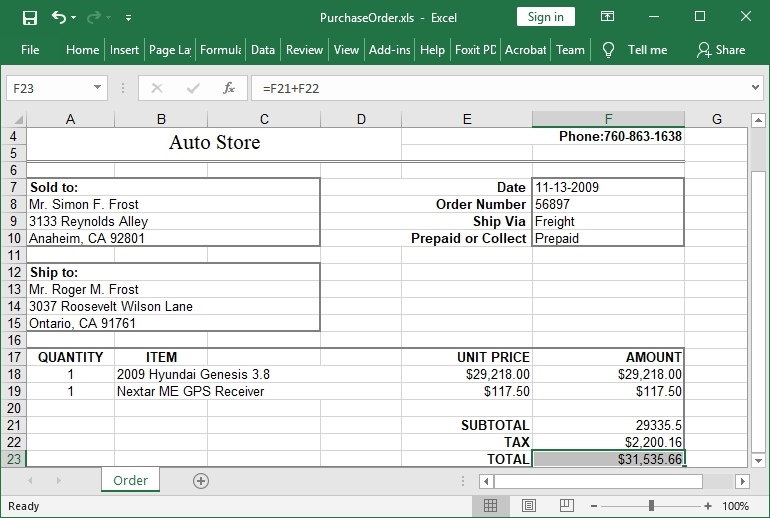
HotXLS at a glance
| Product | HotXLS Delphi Component — native Object Pascal spreadsheet library for Delphi and C++Builder |
|---|---|
| Best for | Reading, writing, calculating, and exporting Excel workbooks without Microsoft Excel automation |
| IDE support | Delphi and C++Builder XE5 through 13 Florence; Free Pascal 3.2.2 / Lazarus LCL (Win32, Win64); native Free Pascal workbook core on Linux x64 and macOS ARM64 |
| Formats | XLS (BIFF8) via lxHandle, XLSX (OOXML) via lxHandleX, XLSB binary read/write with automatic format detection, ODS import/export; HTML, RTF, CSV, TSV export |
| Calculation | Built-in formula engine with cross-sheet references, defined names, dynamic-array spill ranges, regular-expression functions, GROUPBY / PIVOTBY, and user functions |
| Deployment | Runs in process; Excel-free, suitable for servers and unattended batch jobs |
| Source code | Full Object Pascal source included with every license |
| Licensing | Royalty-free, one-time $450-$5400 by tier |
| Current version | 2.384.120 (2026-10-09) |
| Evaluation | Free demo package download |
Native Excel workbook automation for Delphi and C++Builder
Current HotXLS release: Version 2.384.120 (2026-10-09). The latest release brings Classic XLS charts to portable output: column, bar, line, scatter, pie, doughnut, and single-series area charts are captured from validated stored values with their core appearance and declared plot, title, and legend bounds, then drawn to detached PDF, SVG, and PNG output, and bounded helpers inspect stored formula references and cached chart cells without evaluating formulas. Releases since 2.384.109 bring the workbook core natively to Linux x64 and macOS ARM64, where applications load, edit, calculate, and save XLSX, XLSB, ODS, and Classic BIFF8 XLS files, including RC4 and CryptoAPI encryption, and add portable PDF, SVG, and PNG output with rich text, shapes, images, in-cell images, checkboxes, seven cached chart families, and complete print plans. Native Pivot output gained compact, tabular, and outline layouts, numeric, date, and manual grouping, all eleven subtotal functions, Show Values As display calculations, and calculated fields and items; the formula engine added regular-expression test, extract, and replace functions plus GROUPBY and PIVOTBY; XLSX gained typed in-cell images and Checkbox formats; and XLSB coverage expanded to formulas, names, merges, hyperlinks, panes, tables, and filters. Declared code pages for BIFF5 text, atomic undo and redo for range clears and Unicode paste, and consistent Unicode name matching across platforms round out the range. See the release notes for the full change history.
HotXLS supports Delphi XE5 through Delphi 13 Florence and C++Builder XE5 through C++Builder 13 Florence, and builds with Free Pascal 3.2.2 and Lazarus/LCL on Windows (Win32 and Win64); the opt-in portable workbook core also compiles natively for Linux x64 and macOS ARM64. The package includes Delphi and C++Builder demos, API documentation, examples for workbook editing and report export, and full Object Pascal / Delphi source code for licensed customers.
Two focused workbook APIs
| API surface | Primary use |
|---|---|
lxHandle | Classic Excel 97-2003 BIFF8 .xls workflows, including workbook read/write, formulas, formatting, comments, hyperlinks, chart sheets, pivot-table support, VBA payload preservation, HTML, RTF, CSV, and TSV exports. |
lxHandleX | Excel 2007+ OOXML .xlsx workflows, including workbook and stream I/O, style palettes, shared strings, worksheet tables, charts, comments, drawings, external links, XLSX-specific exports, and streaming write for larger sheets. |
Main capabilities
- XLS, XLSX, and XLSB workbook workflows: create, open, modify, and save Excel workbooks from files or streams, detect XLSB input automatically with conversion fidelity reports, and quickly list sheet names from XLS or XLSX packages without loading every worksheet.
- Cell, range, and template editing: read and write numbers, strings, dates, booleans, formulas, merged cells, row and column sizes, hidden rows and columns, outlines, selections, and workbook ranges. Callback helpers can scan loaded cells, fill ranges, find text, and replace template placeholders.
- Formatting and page layout: apply fonts, colors, borders, fills, alignment, number formats, rich text, theme colors, indexed palettes, tab colors, page setup, headers, footers, print titles, page breaks, and worksheet view options.
- Formulas and calculation: evaluate formulas through the built-in calculation engine for classic XLS and XLSX workbooks, including cell references, ranges, cross-sheet references, defined names, and application-defined functions through an
OnUserFunctioncallback, plus dynamic-array spill ranges, regular-expression functions, and GROUPBY / PIVOTBY aggregation. - Workbook data features: work with hyperlinks, internal sheet anchors, defined names, comments, conditional formats, data validation, AutoFilter ranges and criteria, Excel-style tables, document properties, external links, and pivot-table records.
- Images, charts, and drawings: embed images, create worksheet charts and chart sheets, preserve VBA project payloads, and keep Excel-authored OfficeArt connector, solver, shape, and comment metadata stable during round-trip saves where supported.
- Protection and encryption: handle worksheet and workbook protection, classic XLS password workflows, and XLSX AES-protected save output while keeping unsupported encrypted-package read paths explicit in the developer documentation.
- Pivot tables and reports: produce native Pivot output with compact, tabular, and outline layouts, multiple measures, numeric, date, and manual grouping, all eleven subtotal functions, Show Values As calculations, calculated fields and items, and Timelines and Slicers on shared caches.
- Linux and macOS workbook core: the opt-in
LX_PORTABLE_COREprofile compilesTXLSWorkbookandTXLSXWorkbookwith Free Pascal for Linux x64 and macOS ARM64 (macOS 11 or later), loading, editing, calculating, and saving XLS, XLSX, XLSB, and ODS files without LCL. - Portable PDF, SVG, and PNG output: render worksheets with rich text, shapes, images, in-cell images, checkboxes, cached XLSX charts, and Classic XLS column, bar, line, scatter, pie, doughnut, and area charts through immutable print plans that honor print areas, repeated titles, page breaks, margins, scaling, and page order.
- Export helpers: export workbooks, worksheets, selected ranges, database tables, and DBGrid content to Excel, HTML, RTF, CSV, and TSV outputs, including HTML table fragments for previews, emails, or web reports.
Quick Delphi example
uses
  lxHandle;

procedure CreateQuickWorkbook;
var
  Book: IXLSWorkbook;
  Sheet: TXLSWorksheet;
  I: Integer;
begin
  Book := TXLSWorkbook.Create;
  Sheet := Book.Sheets.Add;
  Sheet.Name := 'Quick Start';
  Sheet.Cells.Item[1, 1].Value := 'Product';
  Sheet.Cells.Item[1, 2].Value := 'Units';
  for I := 2 to 5 do
  begin
    Sheet.Cells.Item[I, 1].Value := Format('Item %d', [I - 1]);
    Sheet.Cells.Item[I, 2].Value := I * 10;
  end;
  Sheet.Cells.Item[6, 2].Value := '=SUM(B2:B5)';
  Book.SaveAs('QuickStart.xls');
end;
The same pattern applies to the lxHandleX XLSX API; the demo package ships QuickStart, API tour, and feature-gallery projects for both workbook families.
Designed for controlled automation
HotXLS is useful when Office automation is not a good fit for a production workflow. Spreadsheet processing stays inside your application process, which reduces dependence on interactive desktop sessions and makes deployment easier for unattended tools and server-side jobs.
The library is developed around documented workbook structures and practical Excel interoperability. Recent releases focus on preserving Excel-authored records, workbook metadata, comments, hyperlinks, external-link data, worksheet state, protection options, VBA payloads, table data, AutoFilter state, drawing records, and view settings during open/save round trips. That approach helps applications make targeted edits without unnecessarily rewriting parts of the workbook they do not own.
HotXLS is an independent losLab Software product. Microsoft Excel is not required at runtime, and this page does not claim Microsoft certification, endorsement, or trademark ownership.
Common use cases
| Scenario | How HotXLS helps |
|---|---|
| Report generation | Create styled workbooks from application data, database tables, DBGrid content, or callback-driven worksheet writers. |
| Template editing | Open an existing workbook, find and replace text placeholders, fill ranges, preserve surrounding metadata, and save the edited file. |
| Workbook inspection | Read sheet names, worksheet ranges, document properties, comments, hyperlinks, names, filters, and selected workbook metadata from controlled code. |
| Office-free export | Generate Excel-compatible output on machines where Microsoft Office is not installed, including services and unattended batch jobs. |
| Legacy and modern workbook support | Use one component family for classic BIFF8 .xls workflows, current OOXML .xlsx workflows, binary XLSB read/write, and ODS import/export. |
| Linux and macOS services | Run the same workbook loading, calculation, and PDF, SVG, or PNG output inside Free Pascal services on Linux x64 and macOS ARM64. |
| Preview and conversion pipelines | Export whole sheets or selected ranges to HTML, RTF, CSV, or TSV for previews, email fragments, imports, and downstream systems. |
| Auditable document pipelines | Keep workbook transformations inside your own Delphi or C++Builder code path instead of driving an external UI application. |
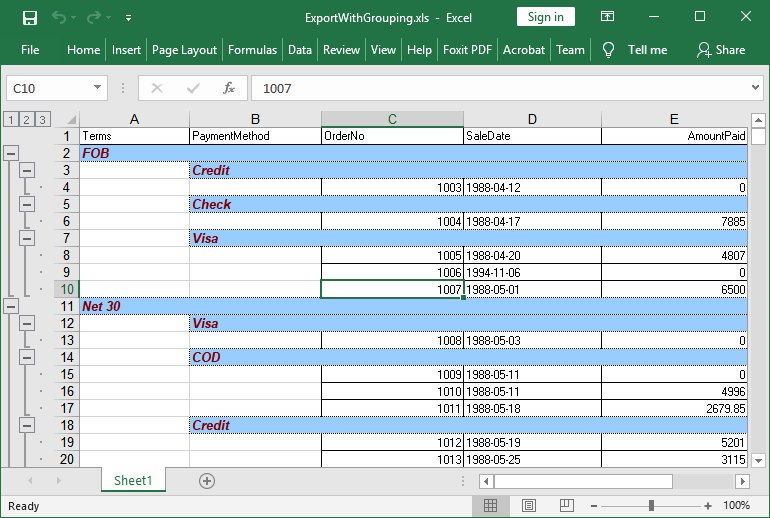
Evaluation, licensing, and support
Download the HotXLS Delphi Spreadsheet Component demo package to review the demos and API documentation before purchase.
New commercial licenses include the full Object Pascal / Delphi source code, one year of software updates, one year of email support, and royalty-free use in unlimited applications under the selected developer-count license.
Pay with credit/debit cards, PayPal, AliPay, or wire transfer through 2Checkout / FastSpring -- every tier lists both checkouts, choose either.
| License | Developers | Price (one-time) | Order |
|---|---|---|---|
| Single | 1 developer | $450 | Buy HotXLS Single |
| Small Business | Up to 10 developers | $900 | Buy HotXLS Small Business |
| Medium Business | Up to 30 developers | $1350 | Buy HotXLS Medium Business |
| Enterprise | All developers in one company and its subsidiaries within a single country | $2700 | Buy HotXLS Enterprise |
| Corporate | All developers in one company and its subsidiaries worldwide | $5400 | Buy HotXLS Corporate |
License choice: Choose the tier that covers your developer headcount: Single (1 developer), Small Business (up to 10), or Medium Business (up to 30). Enterprise covers every developer in one company and its subsidiaries within a single country; Corporate extends that same coverage worldwide.
Enterprise and Corporate source extras: HotXLS Enterprise and Corporate both include full source code for the dedicated tool-grade example Workbook Audit & Conversion Workbench Pro. Source code for the internal testing projects is available on request.
Purchase yearly renewal for existing licenses. Renewal pricing is listed on the HotXLS purchase page.
Open the HotXLS online documentation or contact losLab Software with licensing and technical questions.
Frequently asked questions
Does HotXLS require Microsoft Excel or Office automation?
No. HotXLS reads and writes Excel workbooks entirely inside your application process. Microsoft Excel is not required at runtime, which makes it suitable for servers, services, and unattended batch jobs.
Which file formats does HotXLS support?
Classic Excel 97-2003 BIFF8 .xls through the lxHandle API, Excel 2007+ OOXML .xlsx through the lxHandleX API, XLSB binary workbooks with automatic format detection and conversion fidelity reports, ODS import/export, and HTML, RTF, CSV, and TSV export helpers for sheets, ranges, database tables, and DBGrid content.
Can HotXLS calculate formulas without Excel?
Yes. The built-in calculation engine evaluates formulas in classic XLS and XLSX workbooks, including cell references, ranges, cross-sheet references, defined names, and application-defined functions through an OnUserFunction callback.
Can HotXLS edit an existing workbook without breaking Excel-authored content?
Yes. Recent releases focus on preserving Excel-authored records, metadata, comments, hyperlinks, external links, protection options, VBA payloads, tables, AutoFilter state, drawings, and view settings during open/save round trips, so targeted edits do not rewrite parts of the workbook your code does not own.
Does HotXLS handle protected or encrypted workbooks?
HotXLS handles worksheet and workbook protection, classic XLS password workflows, and XLSX AES-protected save output. Unsupported encrypted-package read paths are documented explicitly in the developer documentation.
Which Delphi and C++Builder versions does HotXLS support?
HotXLS supports Delphi XE5 through Delphi 13 Florence and C++Builder XE5 through C++Builder 13 Florence. It also builds with Free Pascal 3.2.2 and Lazarus/LCL on Windows (Win32 and Win64), where the XLS and XLSX APIs, formulas, styles, dataset export, and rendering helpers work from FPC code without a zlib DLL. Native Free Pascal builds for Linux x64 and macOS ARM64 load, edit, calculate, and save workbooks through the portable workbook core.
Is the source code included, and is HotXLS royalty-free?
Yes. Every commercial license includes the full Object Pascal source code and royalty-free use in unlimited applications under the selected developer-count license.
What does a HotXLS license include, and how does renewal work?
A new license ($450 Single, $900 Small Business (up to 10 developers), $1350 Medium Business (up to 30 developers), $2700 Enterprise (one company, one country), $5400 Corporate (one company, worldwide)) includes full source code, one year of updates, and one year of email support. Renewal pricing for existing customers is listed on the HotXLS purchase page.
Discover more from Delphi PDF Component & Spreadsheet Development
Subscribe to product updates
Subscribe to get the latest updates sent to your email.