Overview
 |
HotXLS Excel Read/Write Library is a high-performance Excel read-write component for Delphi & C++Builder
It can create new Excel spreadsheets and read or modify existing XLS and XLSX workbooks without requiring
Microsoft Excel or Office to be installed on the machine
HotXLS is written entirely in Object Pascal. It reads and writes Excel files directly
at the binary and OOXML level, so there is no COM/OLE automation overhead and no dependency on Office
being licensed or present. HotXLS supports Delphi and C++Builder XE5 through 13 Florence
Classic XLS colour formatting intentionally remains palette-based. See Classic XLS colour model
for the ThemeColor / TintAndShade decision
|
Dual-Facade Architecture
HotXLS exposes two co-existing facade units so that legacy XLS code and new XLSX code can live side-by-side
without any refactoring:
lxHandle |
Primary facade for the Excel 97–2003 BIFF8 format (.xls), plus HTML, RTF, CSV, and TSV
export. All existing user code continues to use this unit unchanged. Entry points:
TXLSWorkbook, TXLSWorksheet, IXLSWorkbook, IXLSRange
|
lxHandleX |
Primary facade for the Excel 2007+ OOXML format (.xlsx) and OpenDocument Spreadsheet
(.ods) read/write. Provides its own workbook and worksheet types so XLSX-specific behaviour is
not retrofitted onto the BIFF code path. Entry points:
TXLSXWorkbook, TXLSXWorksheet, TXLSXCell
|
Both facades share the same formula engine, the same Unicode support layer, and the same export pipeline
See XLSX Facade Overview for the full class hierarchy exposed by
lxHandleX
Quick Start
The following snippets show the minimal code to create a workbook with one worksheet and write
a value to a cell
Classic XLS (lxHandle)
uses lxHandle;

var
  Book: IXLSWorkbook;
  ws:   TXLSWorksheet;
begin
  Book := TXLSWorkbook.Create;
  // Add a worksheet and give it a name
  ws := Book.Sheets.Add;
  ws.Name := 'Sheet1';

  // Write values to cells using A1 notation
  ws.Range['A1'].Value := 'Hello';
  ws.Range['B1'].Value := 42;
  ws.Range['C1'].Formula := '=B1*2';

  // Apply basic formatting
  ws.Range['A1'].Font.Bold := True;
  ws.Range['A1'].Interior.Color := clYellow;

  Book.SaveAs('output.xls');
end;
XLSX (lxHandleX)
uses lxHandleX;

var
  Book: TXLSXWorkbook;
  ws:   TXLSXWorksheet;
  cell: TXLSXCell;
begin
  Book := TXLSXWorkbook.Create;
  try
    ws := Book.Sheets.Add('Sheet1');

    // Write a string and a numeric value
    ws.Cells[1, 1].Value := 'Product';
    ws.Cells[1, 2].Value := 'Price';
    ws.Cells[2, 1].Value := 'Widget';
    ws.Cells[2, 2].Value := 9.99;

    // Apply a currency number format
    cell := ws.Cells[2, 2];
    cell.NumberFormat := '$#,##0.00';

    Book.SaveAs('output.xlsx');
  finally
    Book.Free;
  end;
end;
For a broader walkthrough that covers both facades in a single demo project, see the
API Tour Demo
Features
File I/O and Stream Support
Read existing Excel files, write new or existing Excel files, handle classic XLS password protection and
XLSX encrypted-save workflows, and quickly list sheet names from XLS and XLSX files or streams without
loading the entire workbook. Opening a CSV as a workbook is supported through
IXLSWorkbook.OpenCSV
Cell Values and Formulas
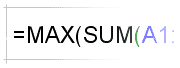
Read and write cell values of all native Excel types: number, string, date/time, boolean, and formula
The built-in calculation engine evaluates formulas in both classic XLS and XLSX workbooks, supporting:
- Text functions (
LEFT,MID,TRIM,SUBSTITUTE, …) - Date and workday functions (
DATE,NETWORKDAYS,WORKDAY, …) - Engineering and base-conversion functions (
BIN2DEC,HEX2DEC, …) - Bitwise functions (
BITAND,BITOR,BITXOR, …) - Statistical and aggregate functions (
AVERAGE,SUMIF,COUNTIFS, …) - Math functions (
ROUND,MOD,POWER, …)
An
OnUserFunction callback lets you handle custom or unsupported worksheet functions at runtime
See OnUserFunction callback for the signature and examples
Cell Formatting
Full access to cell appearance attributes:
- Fonts — name, size, colour (RGB or theme colour + tint), bold, italic, underline, strikethrough, superscript, subscript, shadow, and outline
- Alignment — horizontal and vertical alignment, text orientation (angle), indent level, wrap text, shrink-to-fit, and reading order (RTL/LTR)
- Borders — all four edges and diagonals, line style, weight, and RGB / theme colour
- Interior (fill) — solid fill, pattern fills, foreground and background colours including theme colour with TintAndShade
- Number formats — built-in and custom format strings for date, time, currency, percentage, and scientific notation
- Comments / annotations — add, read, and style cell comments
Range Operations
IXLSRange (classic facade) and TXLSXRange (XLSX facade) provide a rich set of
range operations:
- Merge and unmerge cells; access the merged area of any cell
- Copy, move, insert, and delete ranges, with shift direction control
- Group and ungroup rows or columns for outline/collapse views
- AutoFit row height and column width to cell content
- Apply built-in named cell styles (
ApplyBuiltinStyle) - Multi-area selections (
TXLSWorksheet.SelectAreas) - ForEachCell iteration callback for batch cell processing
Worksheet Features
Worksheet-level control covers:
- Sheet name, tab colour, visibility (hidden / very-hidden), and index-based navigation
- Sheet protection with per-permission granularity; workbook-level protection
- Freeze panes, split panes, and scroll position
- AutoFilter ranges with criteria; list data validation rules
- Conditional formatting: colour scales (2 and 3 colour), data bars, and icon sets
- Find-text and replace-text across a worksheet
- View options: gridline colour, display formula mode, display zeros, display headings, display right-to-left, display outline symbols, and zoom level
- Structured tables (
TXLSTable/TXLSXTable): add, access, and style Excel tables with header rows and banded rows - Charts: add chart sheets and embedded charts via
TXLSWorksheetsAddChartSheetandTXLSXChart
Hyperlinks and Named Ranges
Add and read hyperlinks (URL, mailto, and in-workbook cell references) through
IXLSHyperLinks. Define and resolve named ranges at workbook and worksheet scope through
IXLSNames / TXLSXDefinedNames. Named ranges can be used in formulas and
resolved back to a cell range via RefersToRange
Images and Shapes
Embed raster images (BMP, JPG, PNG, GIF) into worksheets via
TXLSShapes.AddPicture / TXLSXWorksheet.AddImage. Create standalone text boxes
in classic XLS through TXLSShapes.AddTextBox. Preserve Excel-created OfficeArt connector and
solver rules in BIFF8 drawings, and expose raw shape FOPT options through
TXLSShape.OfficeArtOptions for expert drawing workflows
Page Setup and Printing
Full access to the print layout through
IXLSPageSetup:
- Paper size (A4, Letter, Legal, and many others; see PaperSize)
- Orientation (portrait / landscape), margins, centre horizontally / vertically
- Header and footer strings with Excel formatting codes (bold, italic, page number, date, etc.; see Header/Footer formatting codes)
- Manual horizontal and vertical page breaks
- Fit-to-pages scaling; zoom percentage; print area; print titles (repeat rows / columns)
- Draft quality; black-and-white; print gridlines; print headings; print notes
Export Formats
Export entire workbooks, individual worksheets, or arbitrary cell ranges to:
- HTML — full document or an inline table fragment for preview or email workflows;
controllable via
TXLSHTMLExportandTXLSXHtmlExportOptions - RTF — rich text for word-processor import
- CSV — comma-separated values with configurable delimiter and encoding
- TSV — tab-separated values
- ODS — OpenDocument Spreadsheet via the
lxHandleXfacade
Database and Grid Export
Export any TDataSet-compatible dataset or a TDBGrid directly to Excel, HTML, or RTF using the
TDataToXLS or
TGridToXLS components
Both components fire AfterCell, AfterRow, AfterTitle, and
AfterGroup events for fine-grained output control, and support multi-level grouping fields
VBA Project Preservation
HotXLS preserves VBA project payloads when round-tripping macro-enabled workbooks. Read-only module
inspection is available through
TXLSVBAProject and TXLSVBAModule
Call IXLSWorkbook.HasVBAProject to detect a payload and
LoadVBAProjectFromFile / SaveVBAProjectToFile to transfer it between files
Unicode and International Text
All string handling is Unicode-native. HotXLS reads and writes Excel files authored in any language,
including CJK, Arabic, Hebrew, Thai, and other scripts, with correct bidirectional text and reading-order
support

Pivot Tables (Classic XLS)
Create pivot tables from a source range with
TXLSWorksheet.AddPivotTable, configure field placement and data-field number formats, and
inspect the pivot model through TXLSWorksheet.PivotTables
See Classic XLS pivot table API for field and filter details
Advantages
| No Office dependency | Reads and writes XLS and XLSX files directly at the binary level. Microsoft Excel or Office does not need to be installed, licensed, or running. This eliminates COM/OLE automation overhead, avoids threading restrictions imposed by Office interop, and allows HotXLS to be used in server-side and service contexts where a desktop Office installation is impractical |
| High performance | The BIFF8 and OOXML parsers are written in native Object Pascal with no intermediate XML DOM allocation for the hot path. Large workbooks with hundreds of thousands of rows can be read and written with low peak memory. Shared-string deduplication and shared-formula compression are applied automatically to keep file sizes small |
| OLE migration path | The classic-facade API surface (workbook, worksheet, range, font, borders, interior, page setup) closely mirrors the Excel object model familiar from OLE Automation. This makes migrating existing OLE-based projects straightforward: replace the COM calls with HotXLS calls, remove the Office dependency, and gain native performance |
| Dual-facade design |
Legacy XLS code continues to compile and run unchanged against lxHandle while new XLSX
code uses the richer lxHandleX facade. Migrating one file format at a time is safe and
incremental
|
| Formula engine included |
A built-in multi-pass calculation engine handles the most common worksheet functions without requiring
Excel to recalculate on open. Custom functions are handled through the OnUserFunction
callback
|
| Easy to use |
Drop-in Delphi components (TDataToXLS, TGridToXLS) require no code for
common export tasks. The fluent range API supports A1 notation, R1C1 notation, and zero-based
row/column indexing
|
| Thread-safe file I/O |
Because there is no shared Office process, multiple TXLSXWorkbook instances can be
created and saved concurrently on independent threads without synchronisation, making HotXLS
suitable for multi-threaded report generation servers
|
Compatibility
HotXLS is compatible with the following RAD Studio versions:
| Delphi | XE5, XE6, XE7, XE8, 10 Seattle, 10.1 Berlin, 10.2 Tokyo, 10.3 Rio, 10.4 Sydney, 11 Alexandria, 12 Athens, 13 Florence |
| C++Builder | XE5, XE6, XE7, XE8, 10 Seattle, 10.1 Berlin, 10.2 Tokyo, 10.3 Rio, 10.4 Sydney, 11 Alexandria, 12 Athens, 13 Florence |
| Target platforms | Windows 32-bit and 64-bit |
| Excel file formats | XLS (BIFF8, Excel 97–2003), XLSX (OOXML, Excel 2007+), ODS (OpenDocument 1.2) |
| Export-only formats | HTML, RTF, CSV, TSV |
See Also
- XLSX Facade Overview (lxHandleX) — full class hierarchy and XLSX/ODS-specific API members
- API Tour Demo — first demo to run when learning HotXLS from scratch
- IXLSWorkbook — classic XLS workbook interface reference
- TXLSWorksheet — classic XLS worksheet class reference
- IXLSRange — range interface: cell access, formatting, and operations
- TXLSXWorkbook — XLSX workbook class reference
- TXLSXWorksheet — XLSX worksheet class reference
- TGridToXLS — drop-in DBGrid-to-Excel export component
- TDataToXLS — drop-in dataset-to-Excel export component
- OnUserFunction callback — custom worksheet function extension point
- Classic XLS colour model — palette-based colour and theme colour design rationale
- Classic XLS additional API members — calculation properties, document properties, pivot tables, and more
- Examples — sample projects overview
- Purchase Order Sample — full-featured XLS creation example with source code