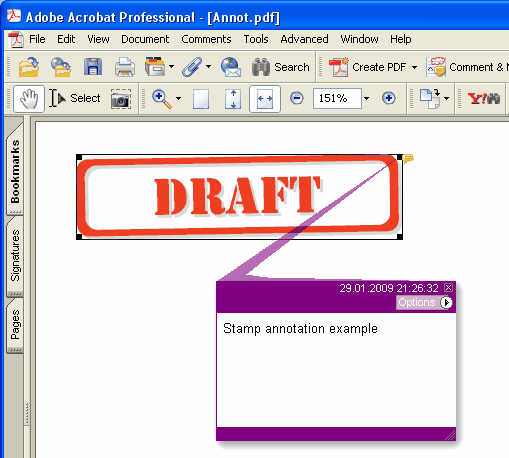
Adiciona nova anotação Stamp na página atual.
type
THPDFStampAnnotationType = (satApproved, satExperimental, satNotApproved, satAsIs, satExpired,
satNotForPublicRelease, satConfidential, satFinal, satSold, satDepartmental,
satForComment, satTopSecret, satDraft, satForPublicRelease);
Sintaxe Delphi:
procedure AddStampAnnotation ( Contents: AnsiString; Rectangle: TRect; StampType: THPDFStampAnnotationType; Color: TColor = clRed );
Sintaxe C++:
void __fastcall AddStampAnnotation ( AnsiString Contents, Windows::TRect &Rectangle, THPDFStampAnnotationType StampType, Graphics::TColor Color);
Descrição
Use AddStampAnnotation para adicionar nova anotação Stamp mensagem de texto especificada ( Contents), área do retângulo ( Rectangle ), tipo ( StampType ) e cor na página atual.
Value Significado
satApproved Approved stamp
satExperimental Experimental stamp
satNotApproved NotApproved stamp
satAsIs AsIs stamp
satExpired Expired stamp
satNotForPublicRelease NotForPublicRelease stamp
satConfidential Confidential stamp
satFinal Final stamp
satSold Sold stamp
satDepartmental Departmental stamp
satForComment ForComment stamp
satTopSecret TopSecret stamp
satDraft Draft stamp
satForPublicRelease ForPublicRelease stamp
Quando o documento exige uma appearance para cada anotação (PDF/A-2 ou mais recente, PDF/X-6 ou PDF 2.0), o stamp é desenhado como uma moldura em Color com o nome do stamp em maiúsculas centralizado dentro dela, com metade da altura do retângulo ou menos, para caber na largura. Sob PDF/A e PDF/X, em que uma Helvetica não embutida não é permitida, o nome é desenhado na fonte atual da página, que é embutida junto com o texto da página, então selecione-a com SetFont antes de adicionar o stamp