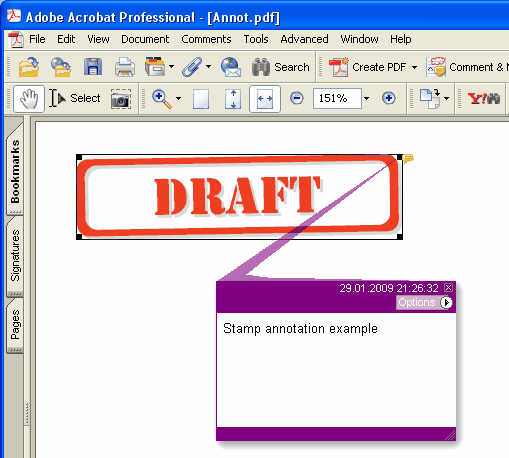
현재 페이지에 새 Stamp 주석을 추가합니다
type
THPDFStampAnnotationType = (satApproved, satExperimental, satNotApproved, satAsIs, satExpired,
satNotForPublicRelease, satConfidential, satFinal, satSold, satDepartmental,
satForComment, satTopSecret, satDraft, satForPublicRelease);
Delphi syntax:
procedure AddStampAnnotation ( Contents: AnsiString; Rectangle: TRect; StampType: THPDFStampAnnotationType; Color: TColor = clRed );
C++ syntax:
void __fastcall AddStampAnnotation ( AnsiString Contents, Windows::TRect &Rectangle, THPDFStampAnnotationType StampType, Graphics::TColor Color);
Description
Use AddStampAnnotation to add new Stamp annotation specified text message ( Contents), rectangle area ( Rectangle ), type ( StampType ) and color on the current page.
Value Meaning
satApproved Approved stamp
satExperimental Experimental stamp
satNotApproved NotApproved stamp
satAsIs AsIs stamp
satExpired Expired stamp
satNotForPublicRelease NotForPublicRelease stamp
satConfidential Confidential stamp
satFinal Final stamp
satSold Sold stamp
satDepartmental Departmental stamp
satForComment ForComment stamp
satTopSecret TopSecret stamp
satDraft Draft stamp
satForPublicRelease ForPublicRelease stamp
모든 annotation에 appearance가 필요한 문서(PDF/A-2 이상, PDF/X-6 또는 PDF 2.0)에서는 스탬프를 Color 색 프레임 안에 대문자 스탬프 이름을 가운데 둔 형태로 그립니다. 크기는 프레임 안에 들어가도록 사각형 높이의 절반 이하입니다. 임베드되지 않은 Helvetica를 허용하지 않는 PDF/A와 PDF/X에서는 이름이 페이지의 현재 폰트로 그려지고 이 폰트는 페이지 텍스트와 함께 임베드되므로, 스탬프를 추가하기 전에 SetFont로 폰트를 선택하십시오