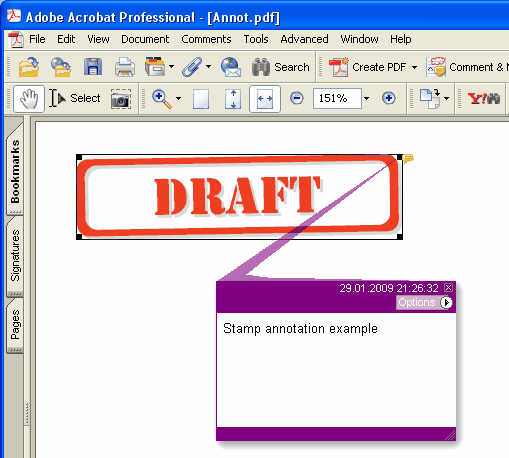
Aggiunge alla pagina corrente una nuova annotazione Stamp.
type
THPDFStampAnnotationType = (satApproved, satExperimental, satNotApproved, satAsIs, satExpired,
satNotForPublicRelease, satConfidential, satFinal, satSold, satDepartmental,
satForComment, satInizioSecret, satDraft, satForPublicRelease);
Sintassi Delphi:
procedure AddStampAnnotation ( Contenuti: AnsiString; Rectangle: TRect; StampType: THPDFStampAnnotationType; Color: TColor = clRed );
Sintassi C++:
void __fastcall AddStampAnnotation ( AnsiString Contenuti, Windows::TRect &Rectangle, THPDFStampAnnotationType StampType, Graphics::TColor Color);
Descrizione
Use AddStampAnnotation to add new Stamp annotation specified text message ( Contents), rectangle area ( Rectangle ), type ( StampType ) and color on the current page.
Significato del valore
satApproved Approved stamp
satExperimental Experimental stamp
satNotApproved NotApproved stamp
satAsIs AsIs stamp
satExpired Expired stamp
satNotForPublicRelease NotForPublicRelease stamp
satConfidential Confidential stamp
satFinal Final stamp
satSold Sold stamp
satDepartmental Departmental stamp
satForComment ForComment stamp
satInizioSecret InizioSecret stamp
satDraft Draft stamp
satForPublicRelease ForPublicRelease stamp
Quando il documento richiede un'apparenza per ogni annotazione (PDF/A-2 o successivo, PDF/X-6 o PDF 2.0), lo stamp viene disegnato come una cornice nel colore Color con il nome dello stamp in maiuscolo centrato al suo interno, a metà dell'altezza del rettangolo o meno, in modo che stia nella larghezza. Sotto PDF/A e PDF/X, dove una Helvetica non incorporata non è consentita, il nome viene disegnato nel font corrente della pagina, che viene incorporato insieme al testo della pagina, quindi selezionalo con SetFont prima di aggiungere lo stamp