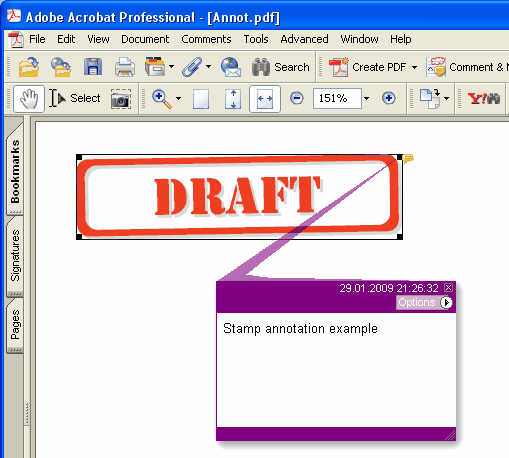
Adds new Stamp annotation on the current page.
type
THPDFStampAnnotationType = (satApproved, satExperimental, satNotApproved, satAsIs, satExpired,
satNotForPublicRelease, satConfidential, satFinal, satSold, satDepartmental,
satForComment, satTopSecret, satDraft, satForPublicRelease);
Delphi syntax:
procedure AddStampAnnotation ( Contents: AnsiString; Rectangle: TRect; StampType: THPDFStampAnnotationType; Color: TColor = clRed );
C++ syntax:
void __fastcall AddStampAnnotation ( AnsiString Contents, Windows::TRect &Rectangle, THPDFStampAnnotationType StampType, Graphics::TColor Color);
Опис
Використовуйте AddStampAnnotation, щоб додати нову анотацію Stamp із заданим текстовим повідомленням ( Contents), прямокутною областю ( Rectangle ), типом ( StampType ) і кольором на поточній сторінці
Value Meaning
satApproved Approved stamp
satExperimental Experimental stamp
satNotApproved NotApproved stamp
satAsIs AsIs stamp
satExpired Expired stamp
satNotForPublicRelease NotForPublicRelease stamp
satConfidential Confidential stamp
satFinal Final stamp
satSold Sold stamp
satDepartmental Departmental stamp
satForComment ForComment stamp
satTopSecret ВгоруSecret stamp
satDraft Draft stamp
satForPublicRelease ForPublicRelease stamp