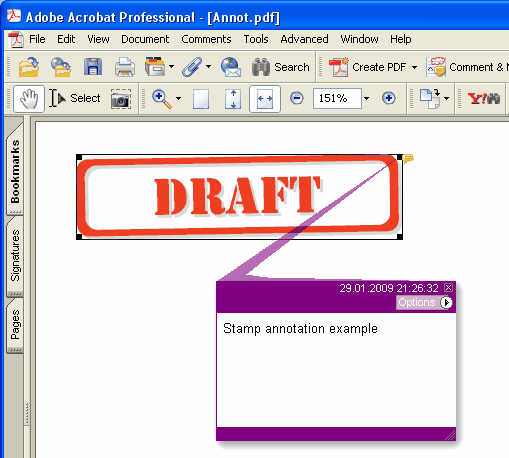
Adds new Stamp annotation on the current page.
type
THPDFStampAnnotationType = (satApproved, satExperimental, satNotApproved, satAsIs, satExpired,
satNotForPublicRelease, satConfidential, satFinal, satSold, satDepartmental,
satForComment, satTopSecret, satDraft, satForPublicRelease);
Delphi syntax:
procedure AddStampAnnotation ( Contents: AnsiString; Rectangle: TRect; StampType: THPDFStampAnnotationType; Color: TColor = clRed );
C++ syntax:
void __fastcall AddStampAnnotation ( AnsiString Contents, Windows::TRect &Rectangle, THPDFStampAnnotationType StampType, Graphics::TColor Color);
Описание
Используйте AddStampAnnotation, чтобы добавить на текущую страницу новую Stamp annotation с заданными text message (Contents), rectangle area (Rectangle), type (StampType) и color
Value Meaning
satApproved Approved stamp
satExperimental Experimental stamp
satNotApproved NotApproved stamp
satAsIs AsIs stamp
satExpired Expired stamp
satNotForPublicRelease NotForPublicRelease stamp
satConfidential Confidential stamp
satFinal Final stamp
satSold Sold stamp
satDepartmental Departmental stamp
satForComment ForComment stamp
satTopSecret TopSecret stamp
satDraft Draft stamp
satForPublicRelease ForPublicRelease stamp
Когда документ требует appearance для каждой аннотации (PDF/A-2 и новее, PDF/X-6 или PDF 2.0), штамп рисуется рамкой цвета Color с именем штампа заглавными буквами по центру, высотой в половину прямоугольника или меньше, чтобы имя уместилось по ширине. Под PDF/A и PDF/X, где невнедрённая Helvetica недопустима, имя рисуется текущим шрифтом страницы, который встраивается вместе с текстом страницы, поэтому подберите его через SetFont до добавления штампа