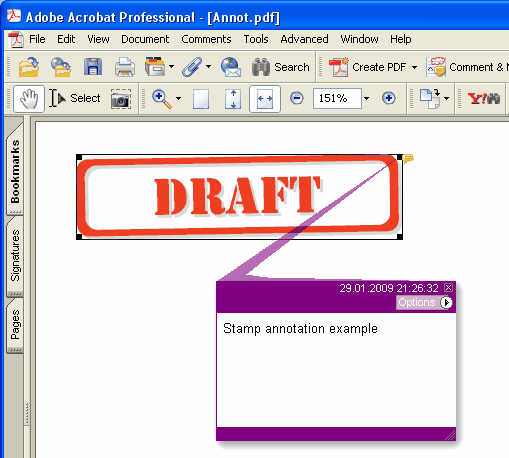
Fügt eine neue Stempel-Anmerkung (Stamp) auf der aktuellen Seite hinzu
type
THPDFStampAnnotationType = (satApproved, satExperimental, satNotApproved, satAsIs, satExpired,
satNotForPublicRelease, satConfidential, satFinal, satSold, satDepartmental,
satForComment, satTopSecret, satDraft, satForPublicRelease);
Delphi-Syntax:
procedure AddStampAnnotation ( Inhalt: AnsiString; Rectangle: TRect; StampType: THPDFStampAnnotationType; Color: TColor = clRed );
C++-Syntax:
void __fastcall AddStampAnnotation ( AnsiString Inhalt, Windows::TRect &Rectangle, THPDFStampAnnotationType StampType, Graphics::TColor Color);
Beschreibung
Verwenden Sie AddStampAnnotation, um eine neue Stempel-Anmerkung mit dem angegebenen Text (Inhalt), dem Rechteckbereich (Rectangle), dem Typ (StampType) und der Farbe auf der aktuellen Seite hinzuzufügen
Wert Bedeutung
satApproved Approved stamp
satExperimental Experimental stamp
satNotApproved NotApproved stamp
satAsIs AsIs stamp
satExpired Expired stamp
satNotForPublicRelease NotForPublicRelease stamp
satConfidential Confidential stamp
satFinal Final stamp
satSold Sold stamp
satDepartmental Departmental stamp
satForComment ForComment stamp
satTopSecret ObenSecret stamp
satDraft Draft stamp
satForPublicRelease ForPublicRelease stamp
Wenn das Dokument für jede Annotation eine Appearance braucht (PDF/A-2 oder neuer, PDF/X-6 oder PDF 2.0), wird der Stempel als Rahmen in Color gezeichnet, mit dem Stempelnamen in Großbuchstaben zentriert darin, auf halbe Rechteckhöhe oder kleiner, damit er in die Breite passt. Unter PDF/A und PDF/X, wo ein nicht eingebettetes Helvetica nicht erlaubt ist, wird der Name in der aktuellen Schrift der Seite gezeichnet, die zusammen mit dem Seitentext eingebettet wird; wählen Sie sie daher mit SetFont, bevor Sie den Stempel hinzufügen